Edit and Duplicate Workflows
As your project requirements evolve, WorktreeWise makes it straightforward to update existing workflows, modify command sequences, or clone workflows to create task variations.
How to Edit a Workflow
- In the Workflow workspace, locate the workflow in the saved workflows table.
- In the Actions column, click the Pencil icon (✏️).
- The Edit Workflow drawer slides open from the right:
- Rename: Change the title of the workflow.
- Edit Commands: Modify existing command text directly in the input fields.
- Delete Step: Click the red trash icon next to any step to remove that command from the sequence.
- Add Step: Click Add Command to append new commands to the end of the chain.
- Click Save to commit your updates.
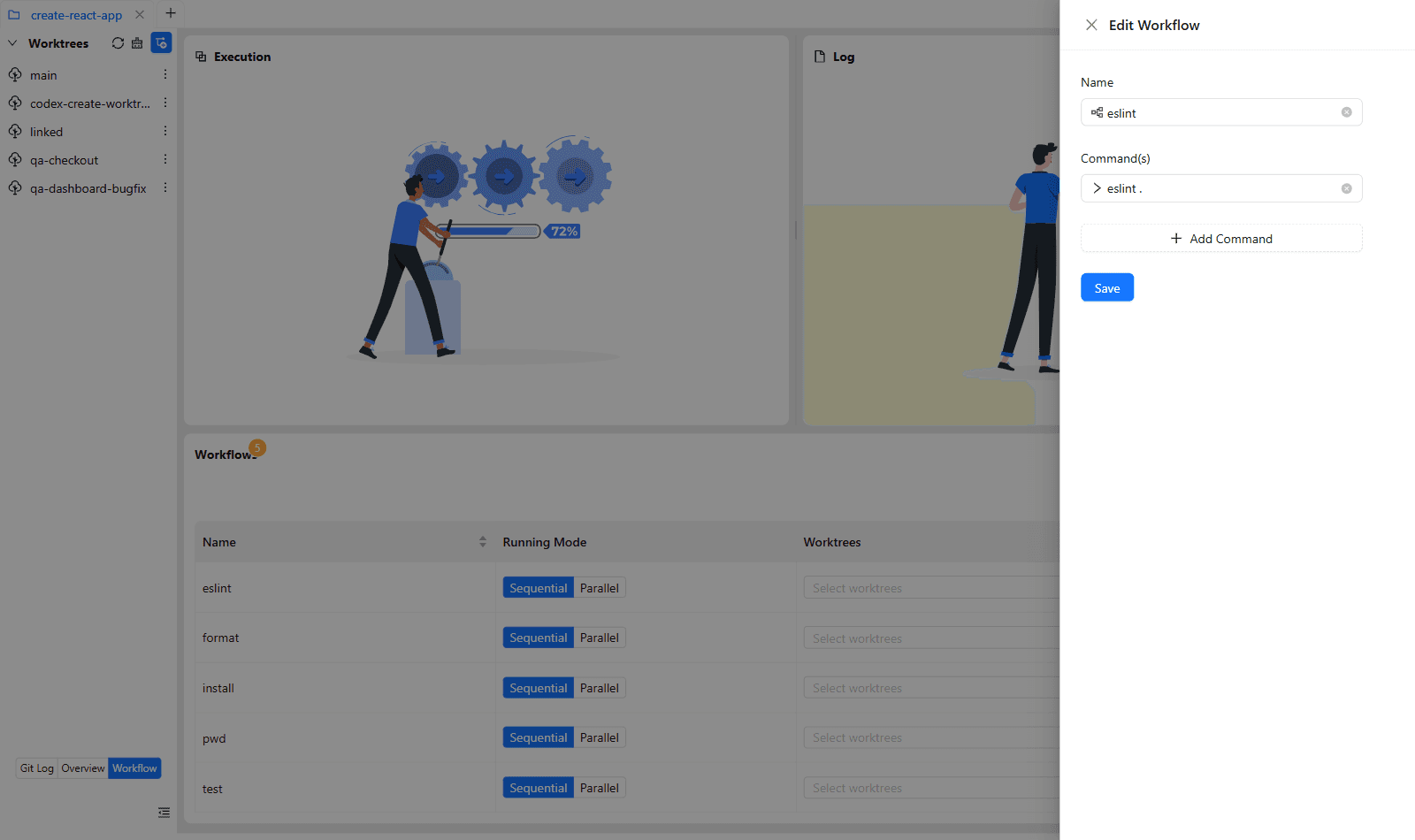
Editing a workflow updates its definition immediately. Any future executions will run the updated command sequence, but past execution logs remain untouched.
Duplicating a Workflow
Often, you want to create a slightly modified version of an existing workflow (for example, creating a Test (Fast) variant that skips integration tests, or a Deploy (Staging) variant based on Deploy (Production)).
To duplicate a workflow:
- Locate the workflow in the table.
- Click the Duplicate icon (📋) in the Actions column.
- WorktreeWise creates an exact replica named
[Original Name] copy. - Click the Pencil icon on the duplicate to rename it and make your desired modifications.
Command Safety Guidelines
When modifying workflow steps:
- Avoid commands that launch background daemon processes unless you have an explicit termination step, as daemon processes may hold ports or file descriptors open across worktrees.
- If a step relies on environment variables generated during worktree creation, ensure the script references standard environment variable expansion (e.g.
$PORTor%PORT%).