Create a Git Commit
WorktreeWise integrates commit authoring directly into the Git Log view. Review working tree modifications, stage files selectively, inspect line diffs, author conventional commit messages, and amend previous commits from a unified screen.
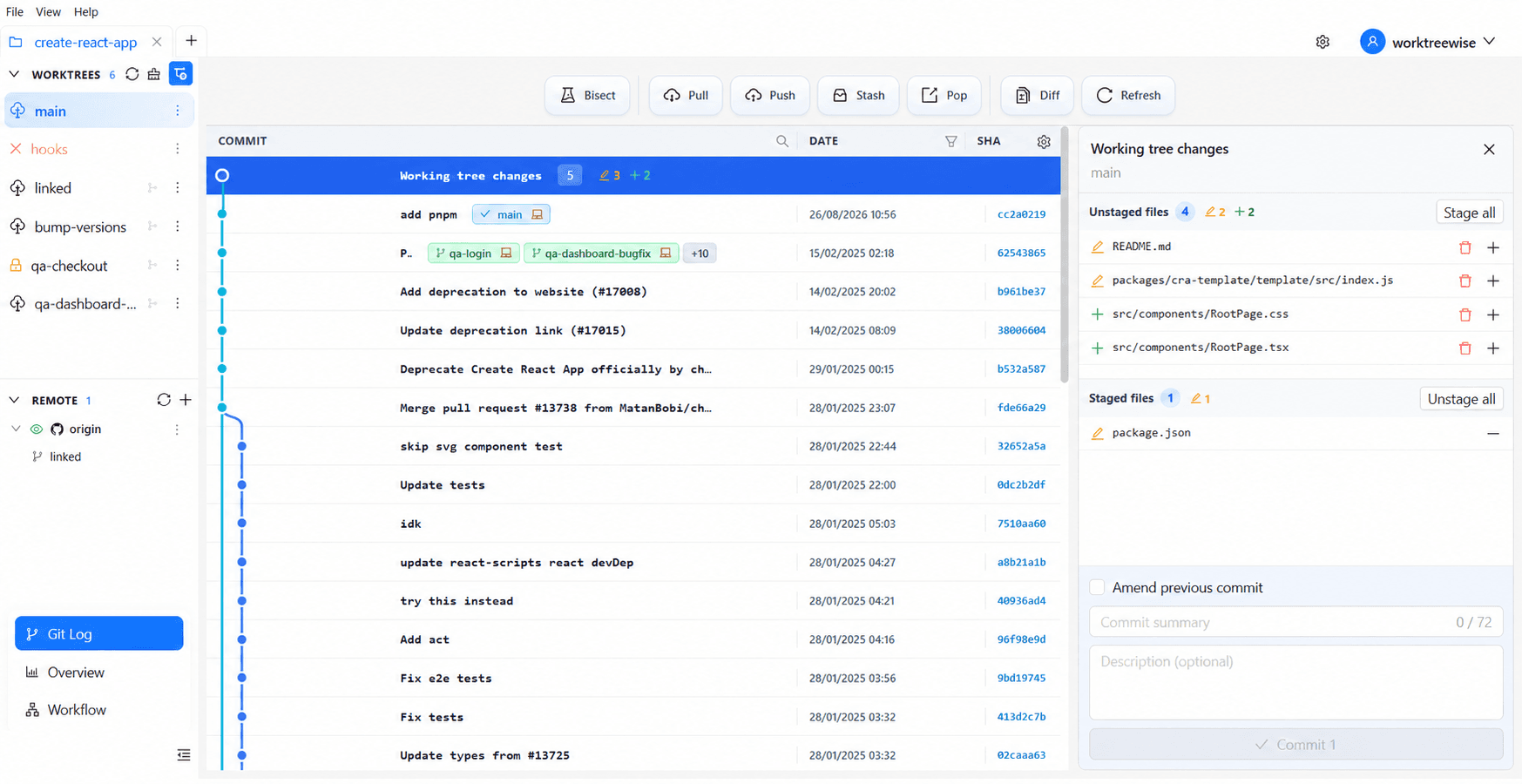
Open the Commit Panel
- Open Git Log (
Shift + G). - Select the Working tree changes row at the top of the commit list.
- The right-hand staging panel opens, organized into Unstaged files and Staged files.
Counters beside each heading show how many files are currently staged or unstaged, and the Commit button displays the total number of staged files that will be included in the commit.
Prepare and Author the Commit
Choose the Active Worktree
Use the worktree selector above the Git Log to select your target worktree. The staging panel strictly operates on the selected worktree’s working directory, preventing changes from other worktrees from bleeding into your commit.
Review and Stage Files
- Select Stage all to prepare all modified and untracked files for commit.
- Or select the + icon beside individual files to stage them selectively.
- Select the - icon or Unstage all to return files to the unstaged list.
Inspect File Diffs
Select any file in the list to open its diff pane. WorktreeWise highlights additions in green and deletions in red. Select Viewed on reviewed files to keep track of your audit progress.
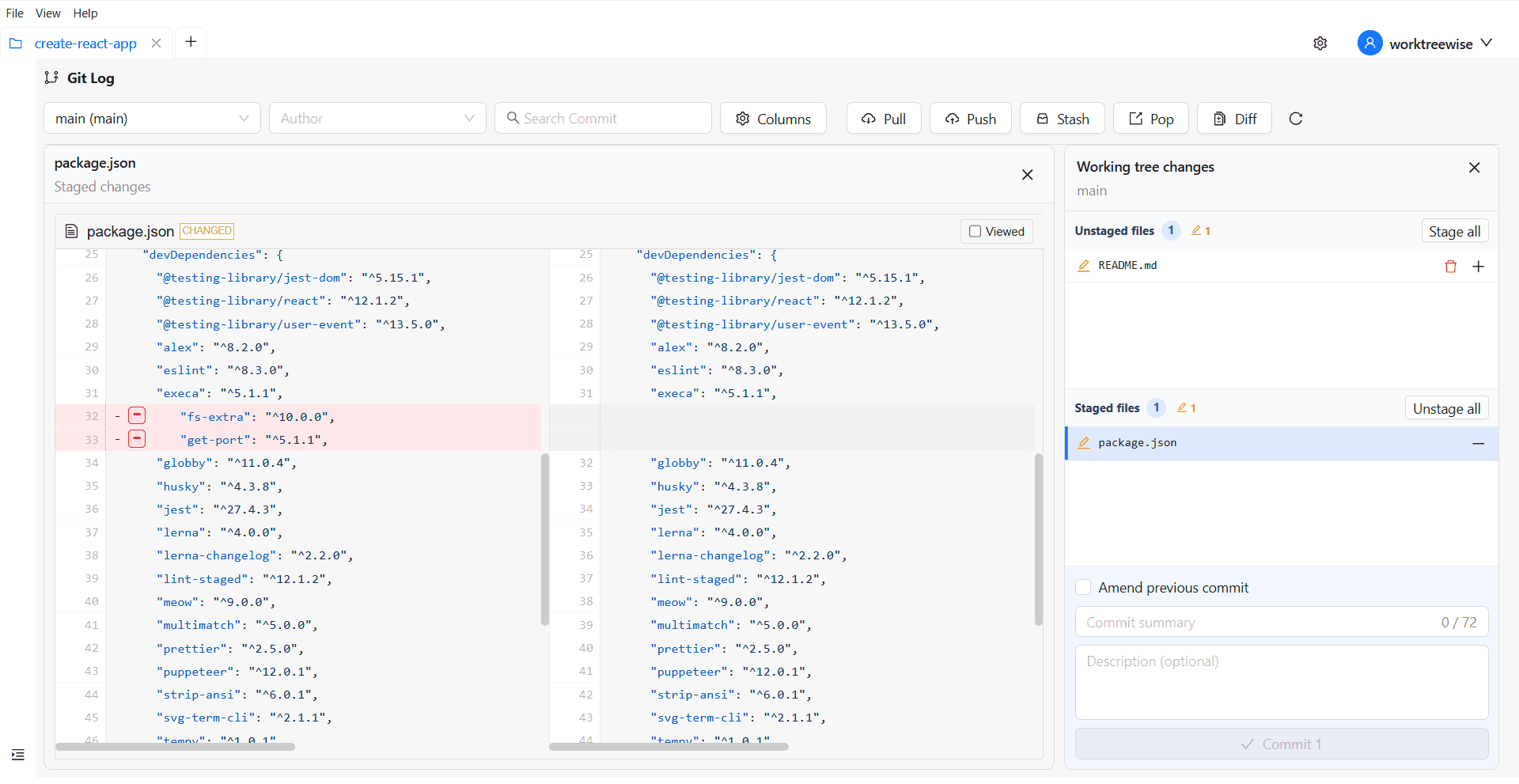
Enter Commit Message
- Summary: Enter a concise commit headline. The in-app character counter helps you adhere to the standard 72-character subject line limit.
- Description (optional): Enter detailed multi-line notes explaining the rationale, breaking changes, or issue references.
Create the Commit
Review the staged file count and select Commit. The button is enabled once a valid summary is entered and at least one file is staged. Upon creation, the Git Log graph refreshes automatically.
Amend the Previous Commit
Check Amend previous commit to add newly staged changes to the worktree’s latest commit instead of generating a new commit:
- WorktreeWise automatically pre-fills the message fields with the previous commit’s summary and description.
- You can edit the message or incorporate additional staged files.
Amending rewrites repository commit history. If the previous commit has already been pushed to a remote branch, you will need to force-push (git push --force-with-lease) after coordinating with your team.
Pre-Commit Verification Checklist
- Confirm that the correct worktree is selected in the scope dropdown.
- Inspect staged diffs to ensure debug logs and temporary files are removed.
- Confirm no secrets, API keys, or unignored environment files are staged.
- Ensure the commit summary accurately describes the change in imperative mood.
Related Pages
- Git Log & Working Tree: Filter commits and inspect the working tree graph.
- Pairwise Git Diff: Compare changes between worktrees, branches, tags, and commits.