Merge a Branch
Use Merge when completed work from another branch should be incorporated into the branch checked out by the active worktree.
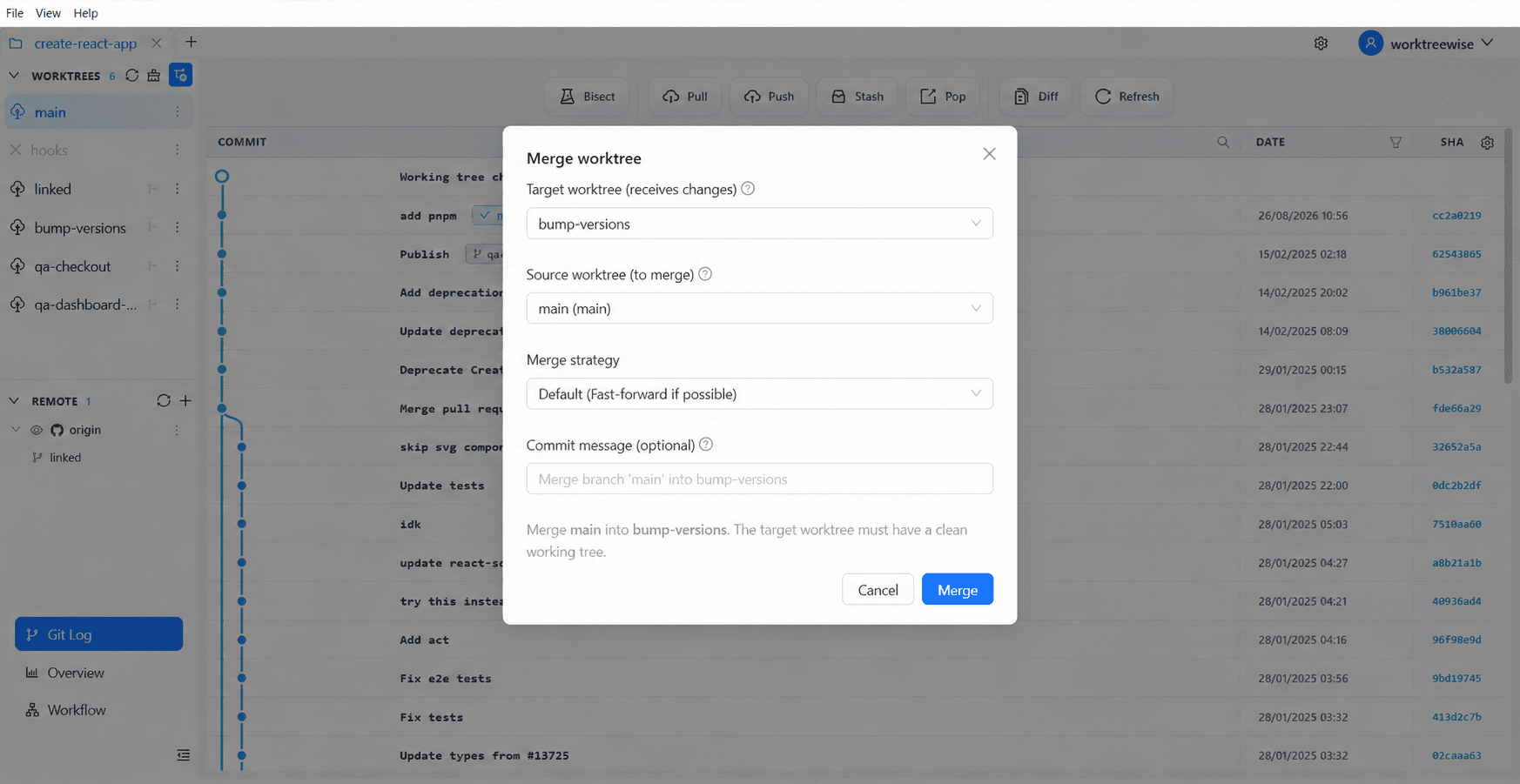
Configure the merge
- Select the destination worktree first; its checked-out branch receives the merge.
- Open Merge and choose the source branch.
- Review the displayed source and destination.
- Choose the available merge strategy or message options.
- Confirm only after the worktree is clean and the direction is correct.
If Git reports conflicts, WorktreeWise leaves the repository in Git’s merge state. Resolve the files, stage the resolutions, then complete or abort the merge using your normal Git workflow.