Search Commits
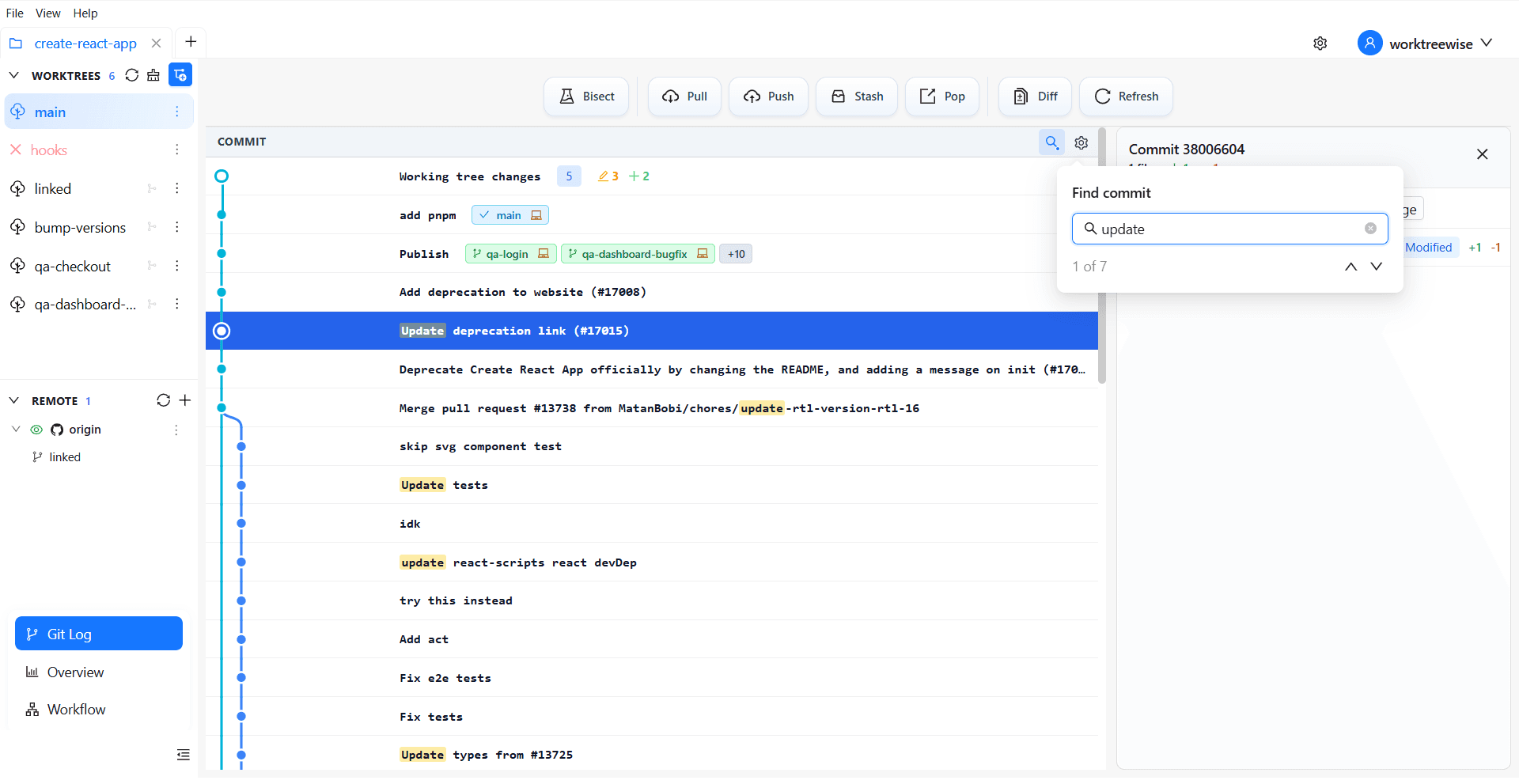
When a repository has a long history, scrolling to the commit you need is slow and error-prone. In Git Log, open commit search, enter a distinctive message fragment or SHA, and select the matching row.
Recommended workflow
- Select the worktree whose history you want to inspect.
- Open commit search and enter the most specific identifier available.
- Confirm the commit message, date, SHA, and refs in the result.
- Open the commit menu only after verifying the selected row.
Search does not modify the repository. It narrows the visible history so you can inspect or start a merge, rebase, cherry-pick, reset, revert, or worktree creation flow from the intended commit.