Git Diff
WorktreeWise features a built-in pairwise Git Diff tool powered by diff2html and highlight.js. Instead of running manual git diff commands in a terminal or juggling multiple diff windows, you can visually compare any two states in your repository side by side or line by line.
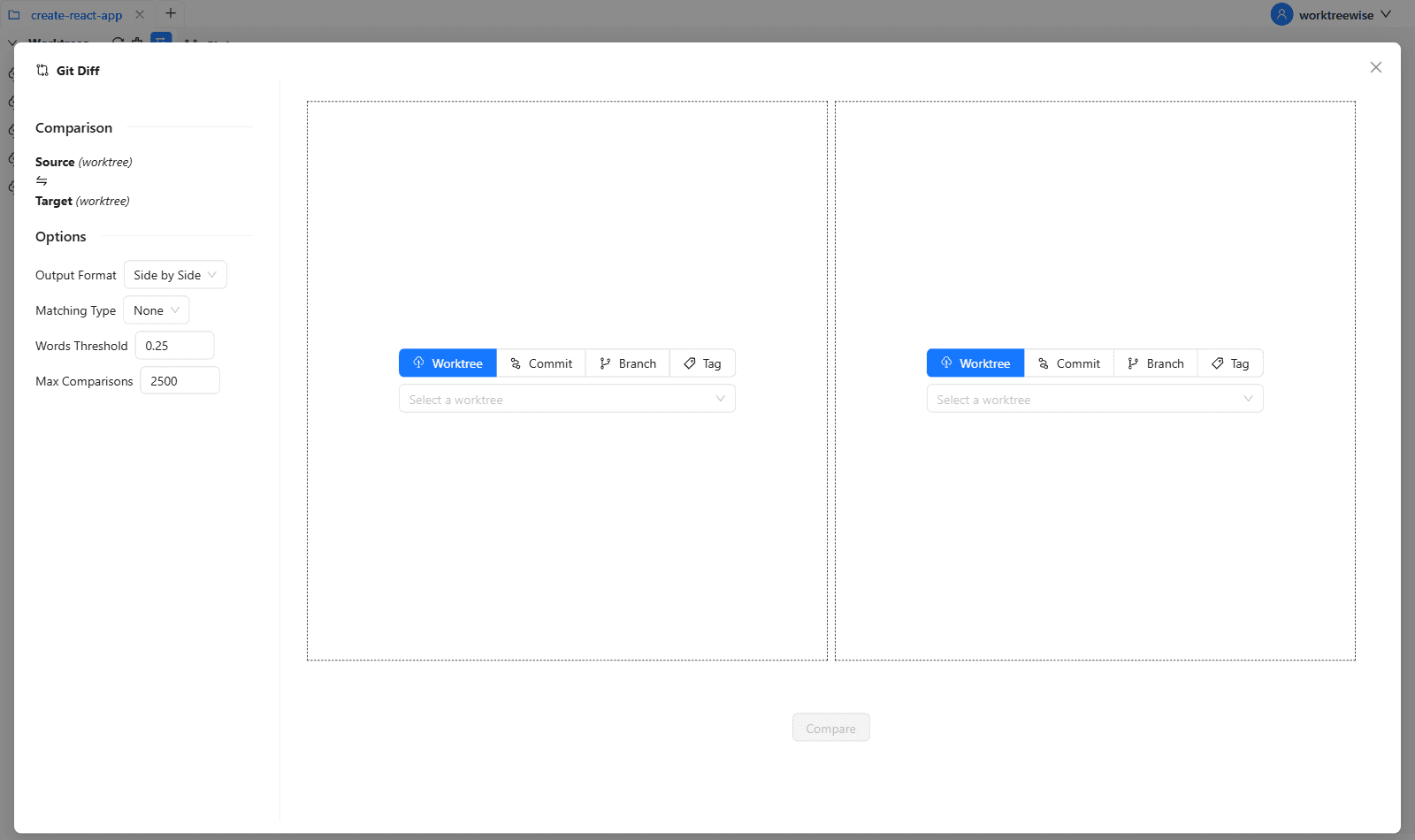
Pairwise Comparison Matrix
WorktreeWise lets you independently configure the Source (Left) and Target (Right) comparison targets using four flexible modes:
| Mode | Source / Target Types | Selection Interface |
|---|---|---|
| Worktree | Compare two active worktrees on disk | Searchable dropdown populated with all current worktrees |
| Branch | Compare feature branches, main, or remote branches | Dropdown listing all local and tracking branches |
| Tag | Compare against release tags or milestone tags | Dropdown listing all repository Git tags |
| Commit | Compare against any arbitrary historical commit | Text input field accepting full or short commit SHA hashes |
You can mix and match any mode. For example:
- Compare a Worktree against a Branch to preview upstream merge conflicts.
- Compare two different Worktrees to see diverging work between parallel feature implementations.
- Compare a Commit hash against a release Tag.
How to Compare Changes
Open Git Diff
Click the Diff button on the Git Log toolbar, or press the keyboard shortcut:
- Shortcut:
Shift + D
Configure the Source (Left)
Select the source mode (Worktree, Commit, Branch, or Tag) and pick your desired source entity from the selector or paste a commit hash.
Configure the Target (Right)
Select the target mode and pick your comparison target. The left-side summary card updates dynamically to reflect the comparison path:
Source (feature-auth) ──⇄── Target (main)Adjust Comparison Options (Optional)
In the left sidebar, customize the diff rendering parameters to suit your needs:
- Output Format: Switch between Side by Side (dual-column) and Line by Line (unified).
- Matching Type: Choose between Words (highlights word-level edits within changed lines), Lines, or None.
- Words Threshold: Fine-tune word-matching sensitivity (default:
0.25). - Max Comparisons: Set maximum comparisons performed per change block (default:
2500).
Run Comparison
Click the blue Compare button. WorktreeWise computes the diff, compresses the payload, and renders the syntax-highlighted diff viewer.
Diff Viewer Features
Interactive File List
The top of the diff pane includes an interactive file navigation drawer listing all modified files along with line addition (+) and deletion (-) statistics. Clicking any file automatically scrolls the viewer directly to that file’s changes.
Syntax Highlighting & Theme Support
Code blocks are automatically highlighted according to the programming language syntax. When switching between WorktreeWise Light and Dark themes, the diff viewer dynamically swaps between GitHub light and dark color palettes (github-dark.min.css).
Fast Back-to-Top Navigation
For large multi-file diffs spanning hundreds of lines, a floating Back to Top button appears in the lower-right corner to return instantly to the file list summary.
Reset & Recalculate
Click Clear in the options panel to wipe the current comparison and select new comparison targets without closing the modal.
Quick Swapping:
To see what your branch adds relative to main, put main on the left (Source) and your worktree/branch on the right (Target). Additions will appear in green and deletions in red.