title: Rename a Git Worktree description: Rename a linked worktree and its associated branch safely.
Rename a Git Worktree
Renaming a worktree in WorktreeWise is a synchronized operation: it renames the linked worktree and automatically updates the underlying Git branch, ensuring your directory structure and Git branch graph remain perfectly aligned.
How to Rename a Worktree
- In the Worktrees panel, locate the worktree you wish to rename.
- Click the three-dot Actions menu and select Rename.
- In the input dialog, enter the new name for the worktree/branch (e.g.
feature-payment-v2). - Click Rename.
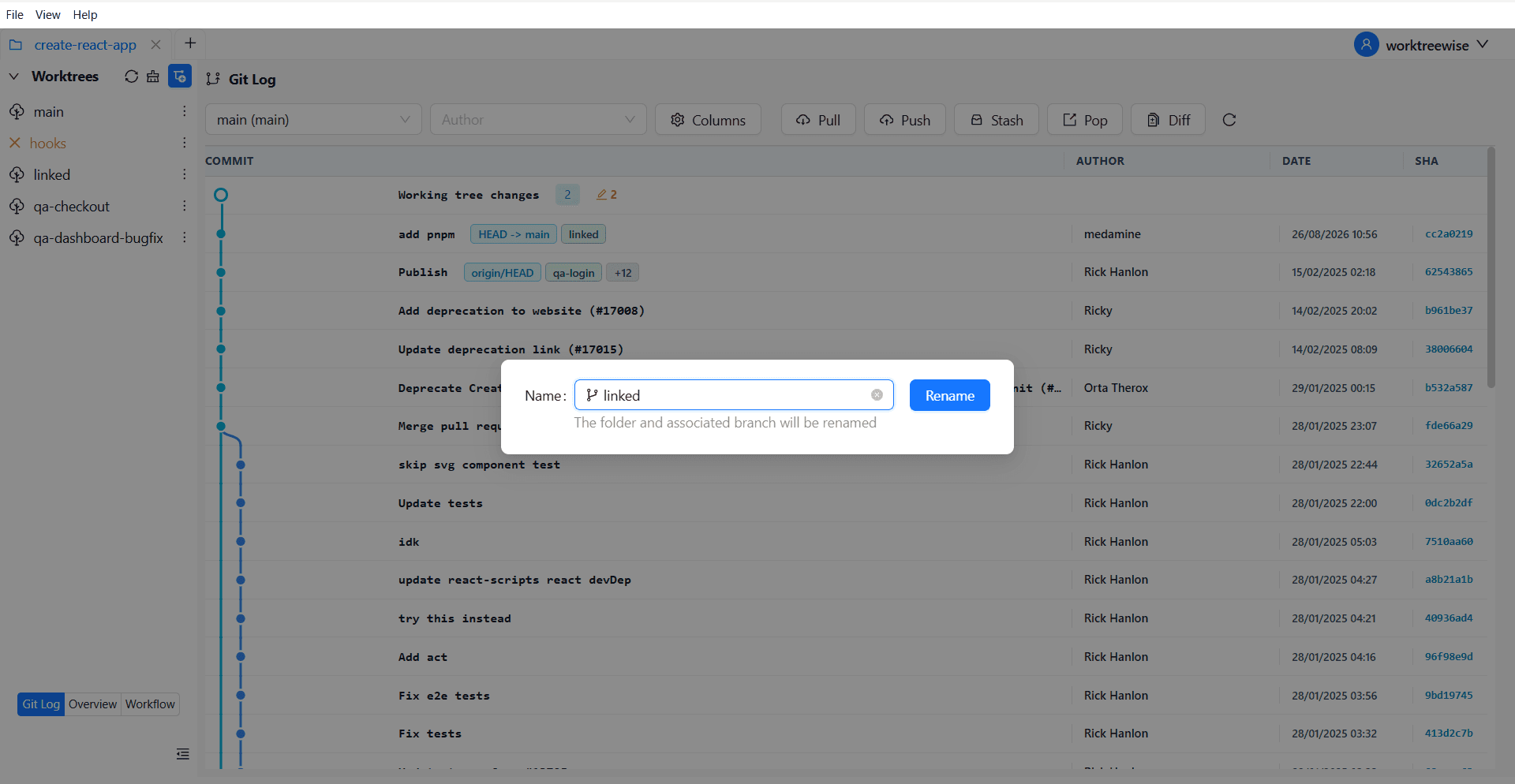
Automatic Branch Synchronization
In traditional Git CLI, renaming a worktree folder does not rename the branch, and running git branch -m does not rename the folder on disk. This frequently leads to confusing discrepancies where a directory named feature-old is checked out to feature-new.
WorktreeWise handles both sides atomically:
- Branch Renamed: It executes
git branch -m <old-name> <new-name>, updating Git’s branch reference and preserving its entire commit history. - Directory Renamed: It updates the worktree folder name to match your configured naming pattern (e.g.
{repo}__wt__feature-payment-v2). - Pointers Re-anchored: Git’s administrative worktree files (
.gitandgitdir) are updated seamlessly.
Renaming a worktree automatically updates the local Git branch name. If you have already pushed the old branch to a remote repository, you will need to push the new branch and delete the old remote branch if desired (git push origin -u <new-branch> and git push origin --delete <old-branch>).
Validation & Restrictions
WorktreeWise validates the new name before executing:
- Ref Name Validation: The name must conform to standard Git branch naming rules (no spaces, control characters, tildes
~, colons:, carets^, or consecutive periods..). - No Collisions: The new branch name must not conflict with an existing local branch or worktree directory.
- Primary Worktree Protected: The primary (main) worktree cannot be renamed from this menu.
- Locked Worktrees Protected: Locked worktrees cannot be renamed until unlocked.