Create a Git Worktree
Creating a worktree in WorktreeWise is much more than running git worktree add. The creation modal provides a full suite of productivity tools: starting from any revision, automated pre/post hooks, sparse checkout to reduce disk footprint, dependency sharing to eliminate repeated installs, and environment isolation to avoid port or configuration collisions.
To open the creation modal:
- Click Add New Worktree in the Worktrees sidebar.
- Or press the keyboard shortcut Shift + W.
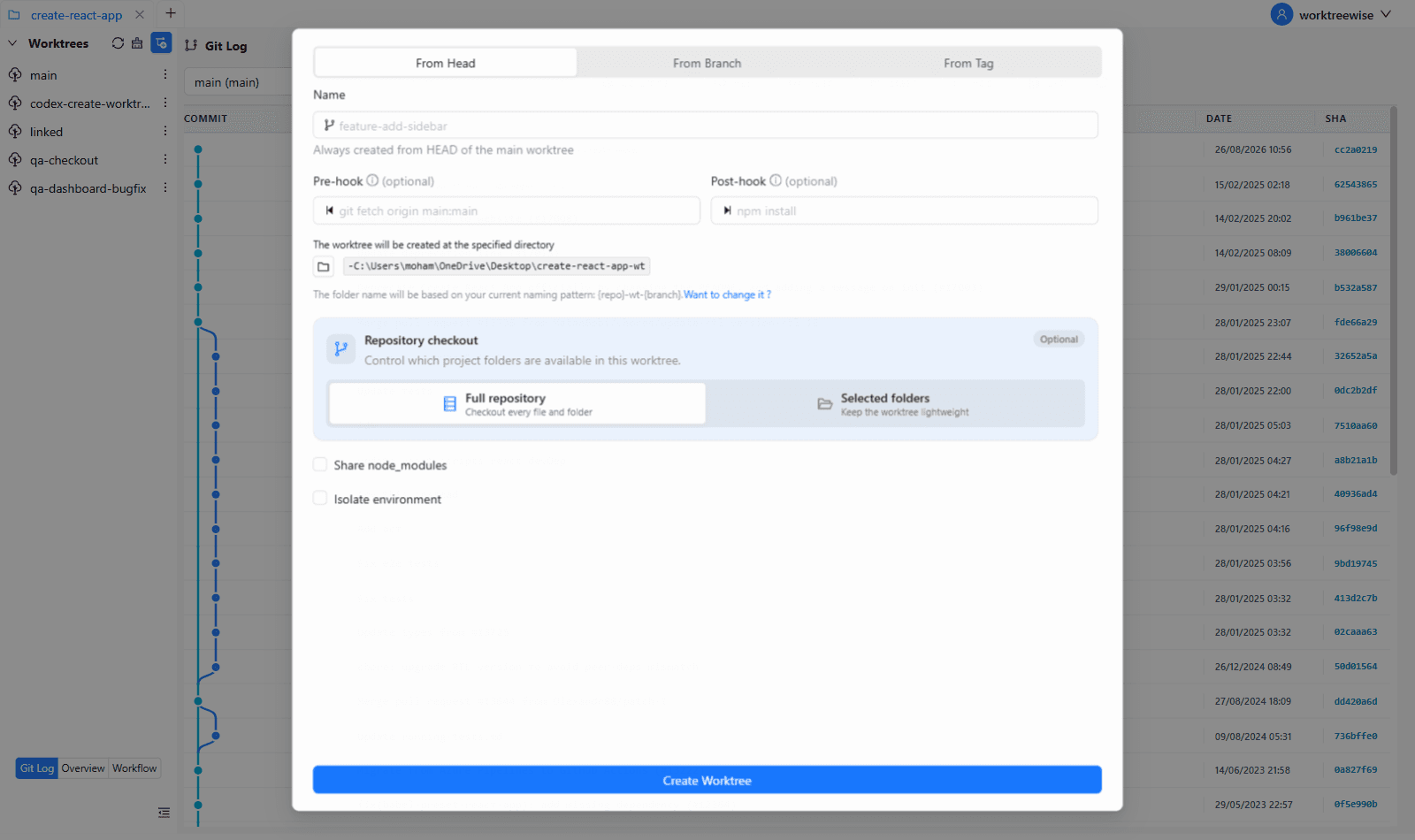
Creation Modes
WorktreeWise supports three modes in the creation dialog, plus a commit-specific shortcut from the Git Log:
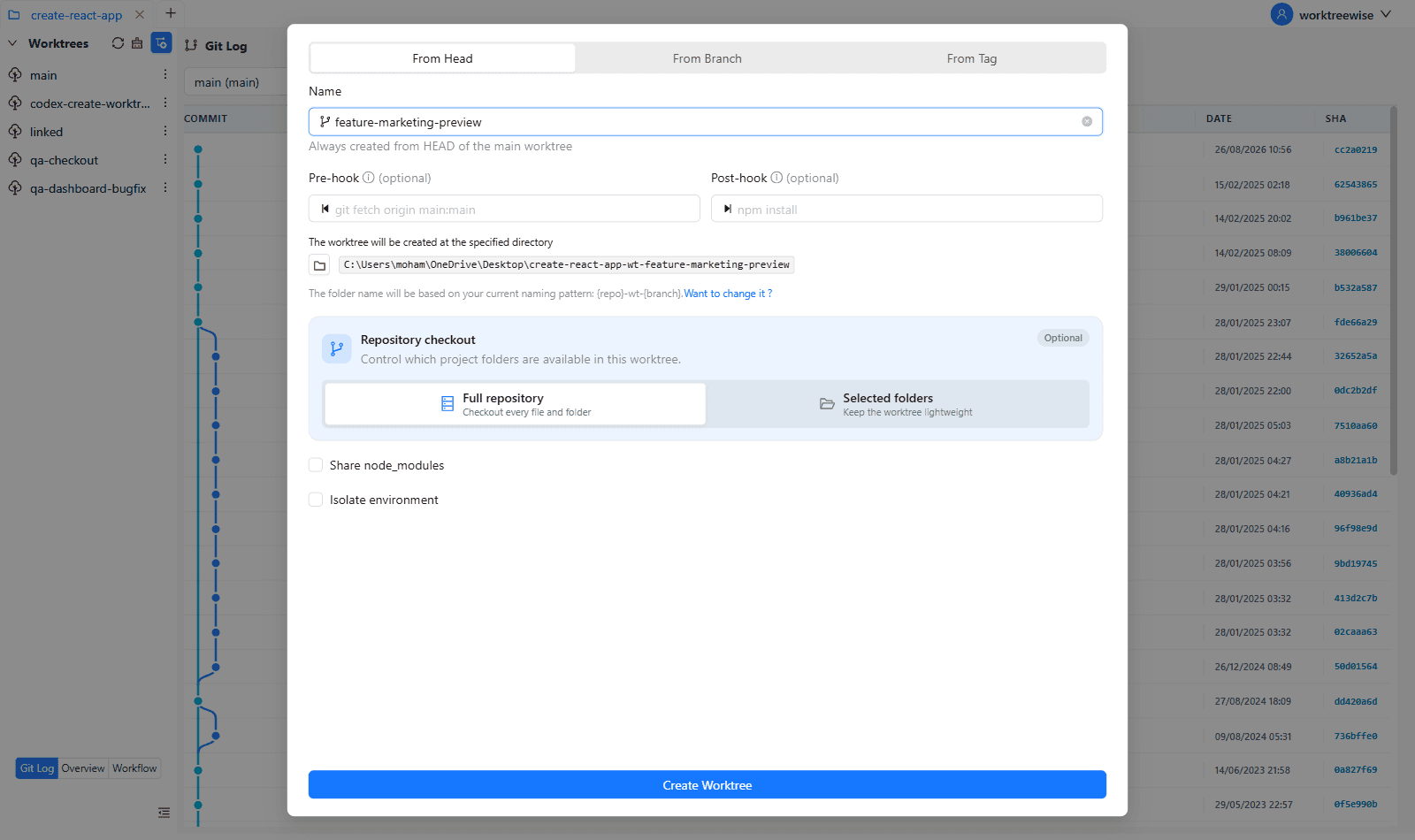
1. From HEAD (New Branch)
Creates a brand new branch and worktree rooted from the current HEAD commit of your primary worktree.
- Select From Head.
- In the Name field, enter the desired branch name (e.g.,
feature-auth-floworfix-memory-leak). WorktreeWise automatically sanitizes illegal characters. - Review the destination folder preview generated below.
- Configure optional hooks, sparse checkout, or environment options.
- Click Create Worktree.
2. From Branch (Local or Remote)
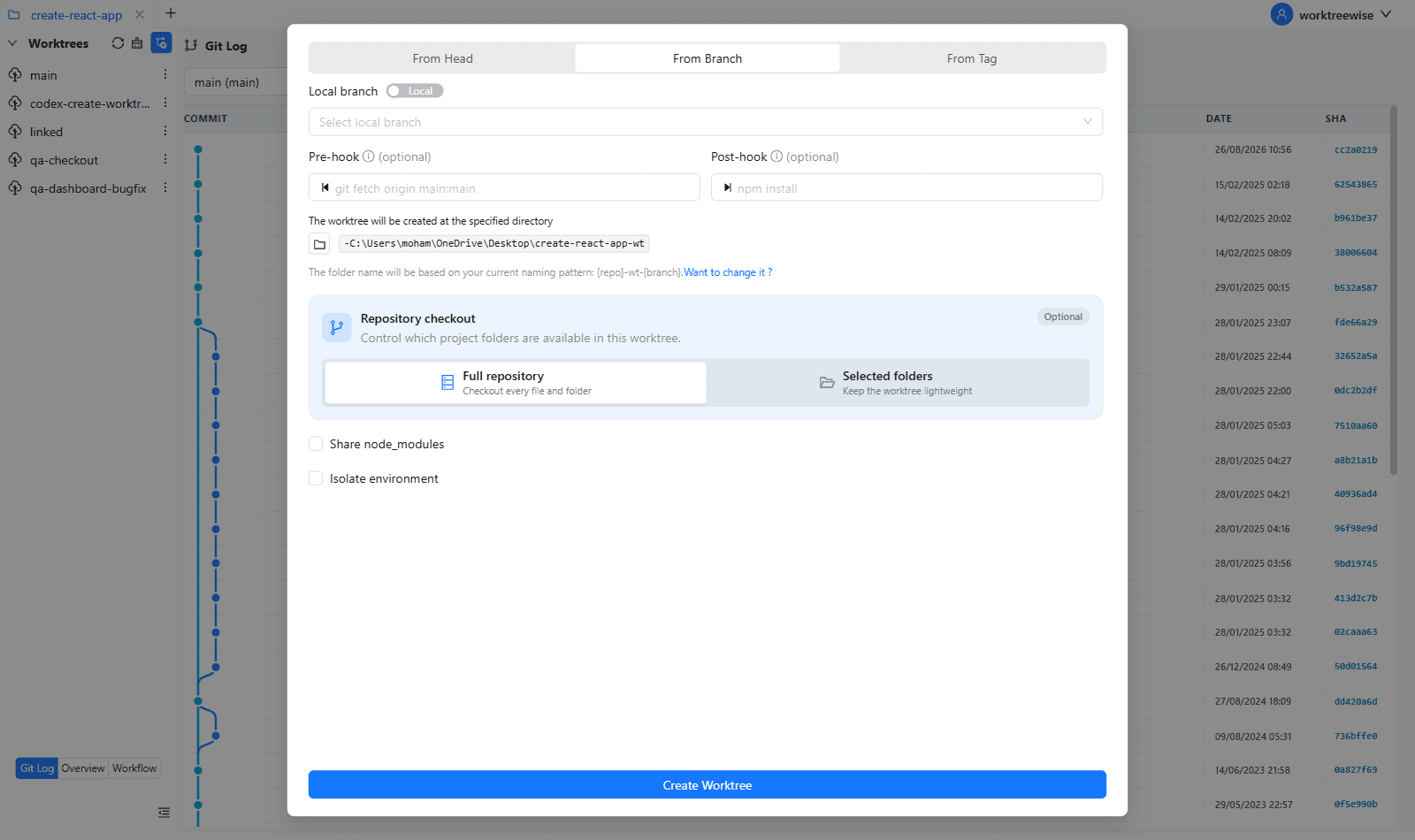
Attach a new worktree to an existing local branch or create a local tracking branch from a remote branch.
- Local Branch: Select any branch already present in your local Git repository.
- Remote Branch: Toggle the Remote switch to inspect upstream branches (e.g.
origin/feature-search). When selected, Git automatically creates a local tracking branch matching the remote reference.
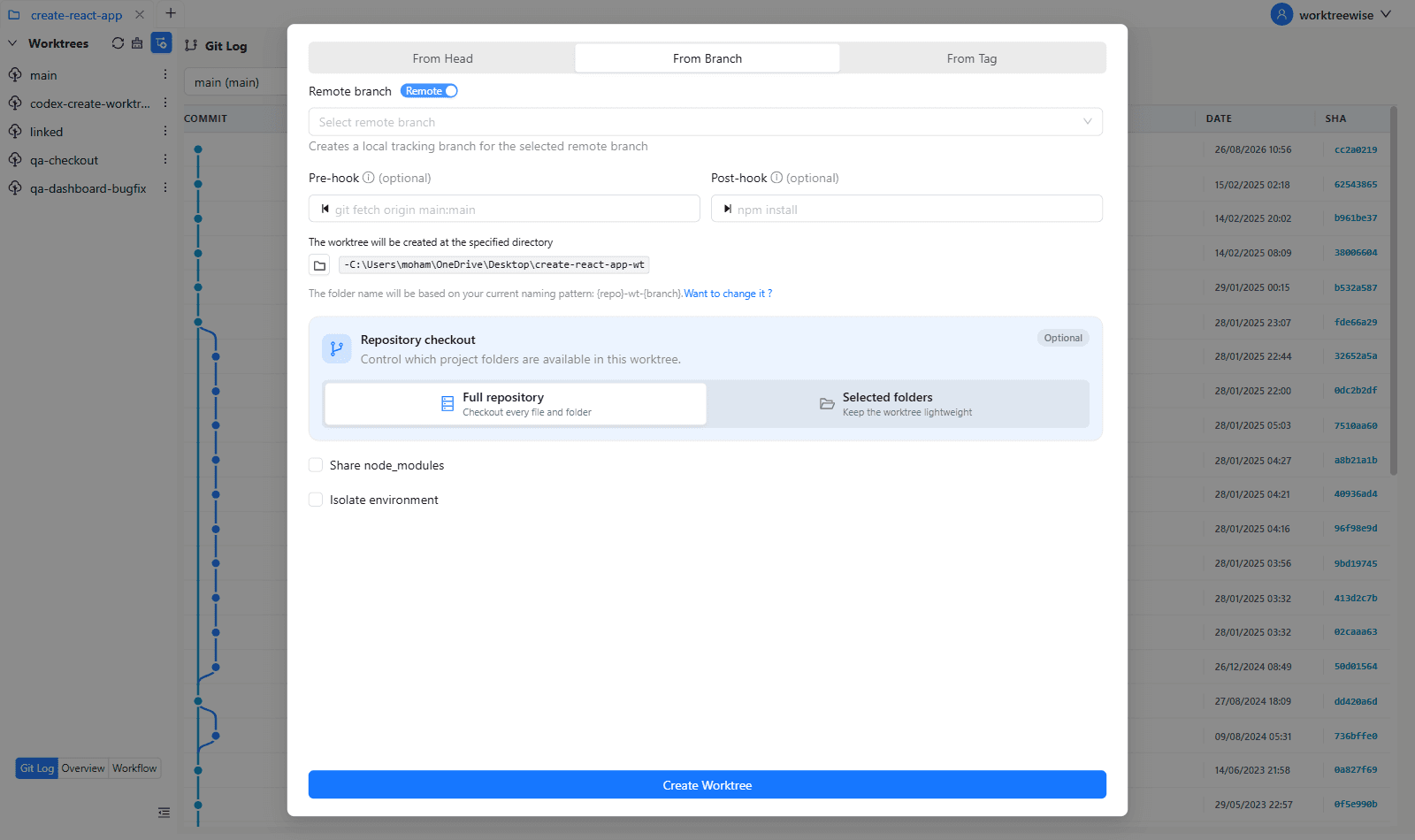
If you recently pushed a remote branch and do not see it in the dropdown, run a fetch on the primary worktree or click Refresh.
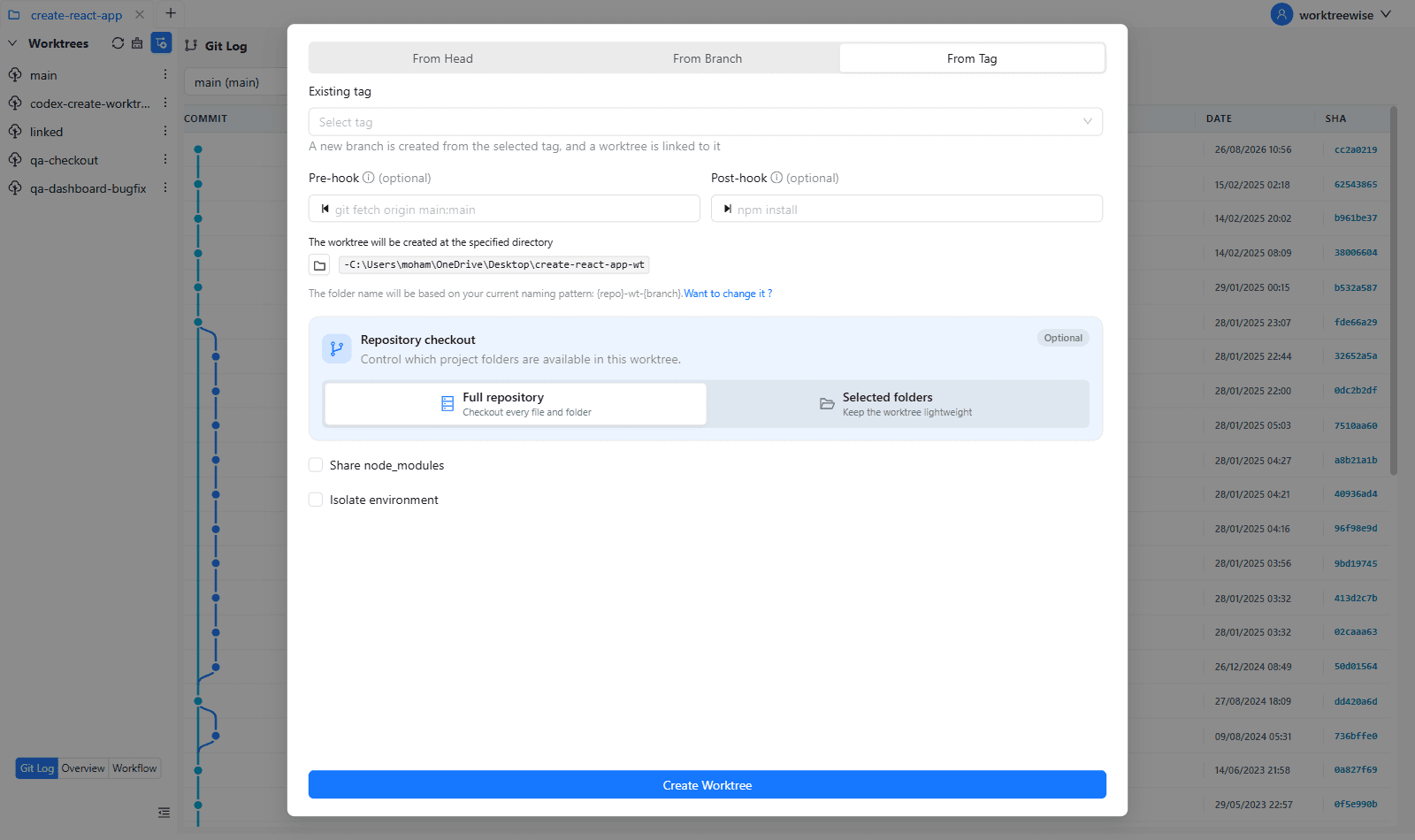
3. From Tag
Creates a worktree linked to a specific Git release or commit tag.
- Select From Tag and choose a tag from the searchable dropdown.
- WorktreeWise automatically initializes a branch from the tag (converting dots to hyphens in the branch name, e.g.
v1.0.0→v1-0-0) because Git requires linked worktrees to point to a valid branch reference rather than an immutable detached tag.
4. From a Git Commit
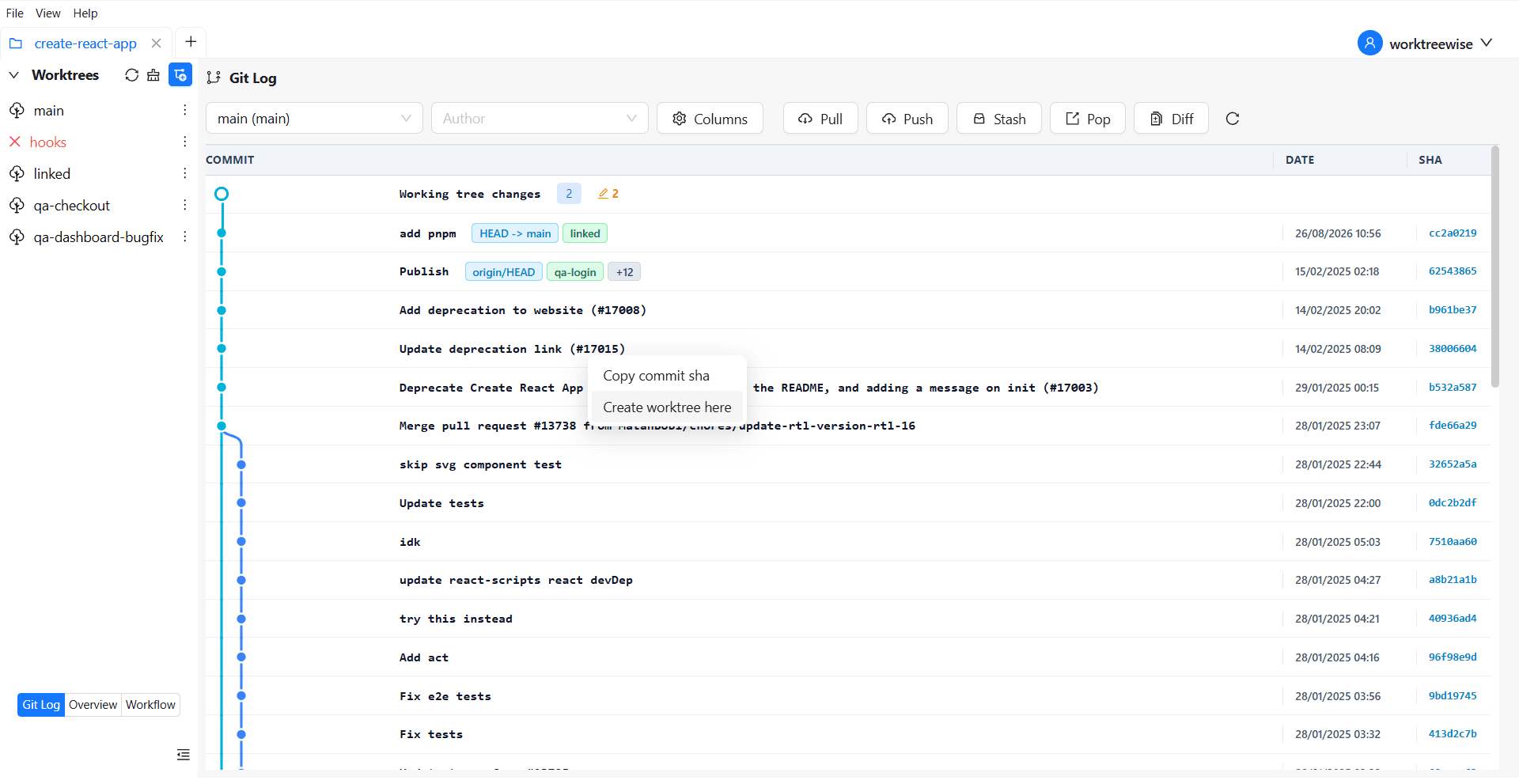
Create a worktree at an exact historical revision directly from the Git Log:
- Open Git Log and locate the required commit.
- Open the commit’s context menu.
- Select Create worktree here.
- Complete the worktree name and optional configuration in the creation dialog.
Use Copy commit sha from the same menu when you only need the revision identifier.
Destination Folder & Naming Patterns
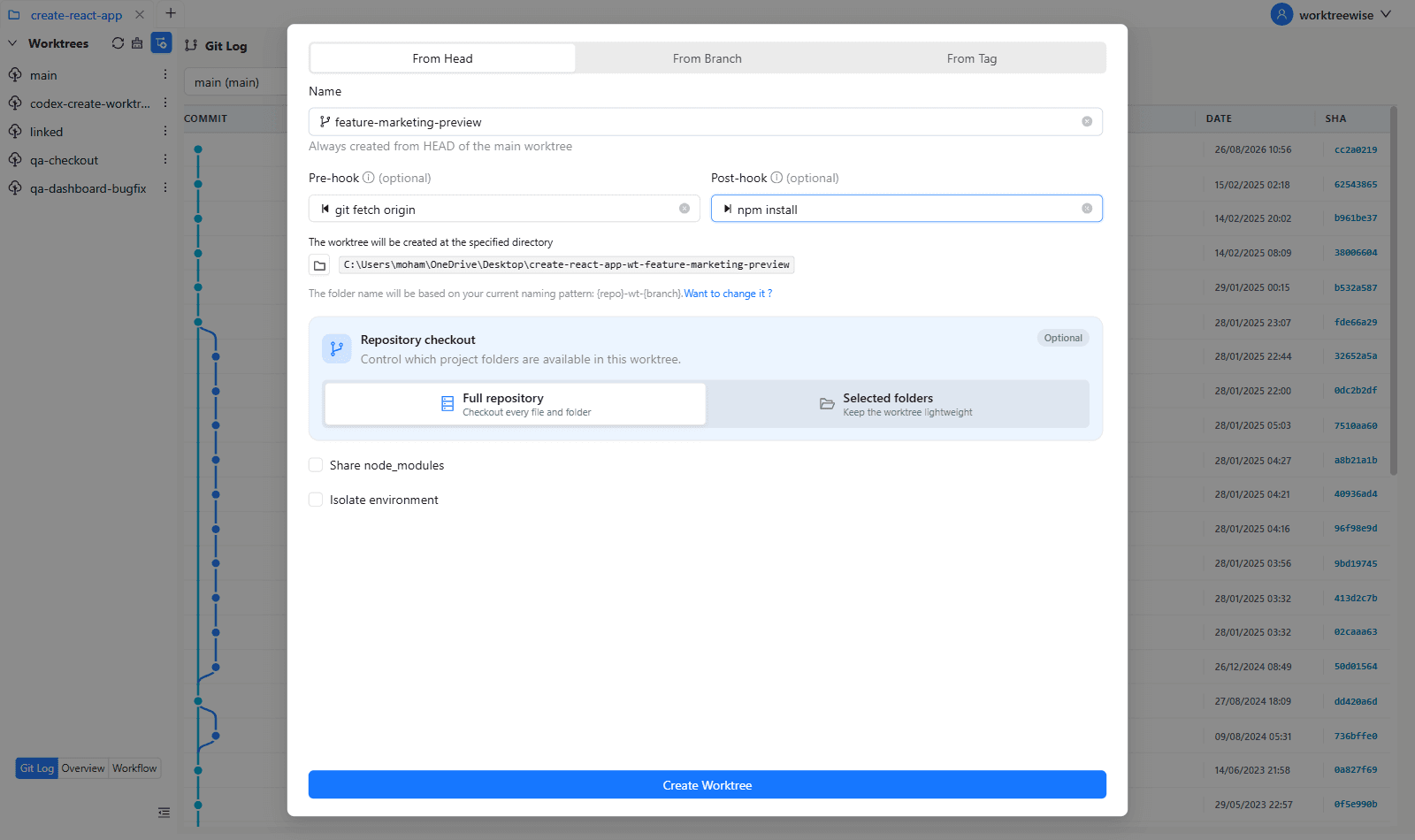
Below the revision selector, WorktreeWise displays the exact target path where the new worktree folder will be created:
- Directory Picker: Click the folder icon to customize the parent directory where worktrees are stored on disk.
- Pattern Resolution: The folder name is automatically generated using the naming pattern configured in Settings → Worktrees (default is
{repo}__wt__{branch}). - Click the Want to change it? link to jump directly to Settings and modify your pattern template.
Automation Hooks (Pre-Hook & Post-Hook)
WorktreeWise allows you to define one-off shell commands that execute automatically before and after worktree initialization:
| Hook | Execution Context | Common Use Cases |
|---|---|---|
| Pre-hook | Runs in the primary worktree before creation starts | git fetch origin main:maingit pull --rebase |
| Post-hook | Runs inside the newly created worktree after checkout completes | npm installpnpm installcomposer installcargo build |
When hooks or environment isolation are enabled, WorktreeWise switches to workflow execution mode, allowing you to follow command output in real time inside the Log panel.
Sparse Checkout
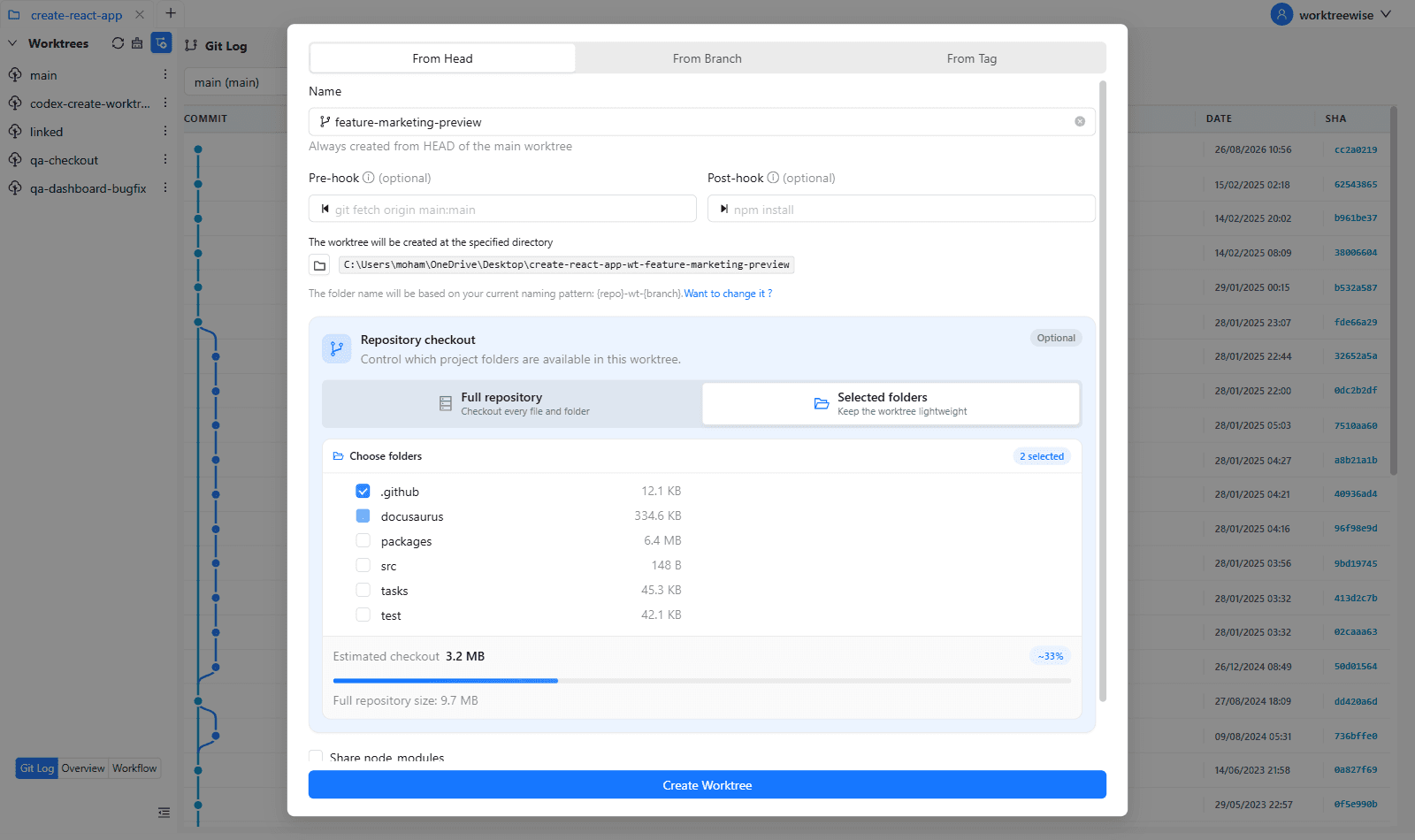
For large monorepos or multi-package repositories, checking out every directory consumes unnecessary disk space and slows down index operations. Sparse checkout allows you to checkout only the specific folders you need.
Scope Selection
- Under Repository checkout, select Selected folders (instead of Full repository).
- WorktreeWise inspects the target revision using
get-sparse-checkout-tree. - An interactive folder tree displays the repository directories with exact byte sizes (e.g.
24.5 MB,1.2 GB). - Select the checkboxes next to the directories your feature depends on (e.g.
packages/uiandapps/web).
Live Size Estimation
WorktreeWise calculates the estimated checkout footprint in real time:
- Displays total estimated size versus full repository size.
- Shows a percentage progress bar (e.g.
Estimated checkout: 420 MB (~24%)). - Minimizes sparse paths behind the scenes by eliminating redundant nested paths if their parent is already selected.
Shared Dependencies (Share node_modules)
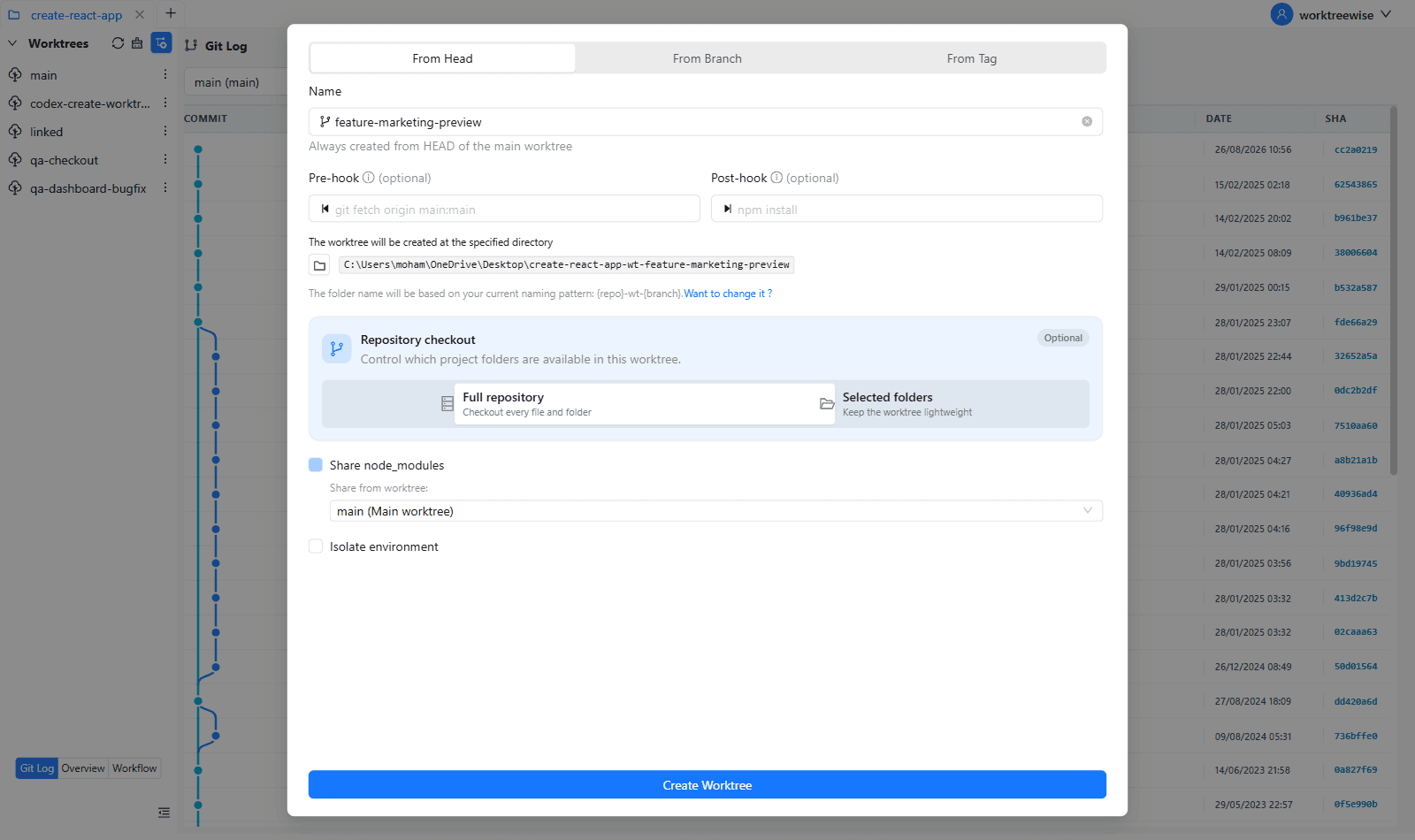
In JavaScript and TypeScript projects, every worktree typically requires its own node_modules directory, consuming hundreds of megabytes or gigabytes of disk space and requiring lengthy npm install cycles.
How It Works
- WorktreeWise automatically scans existing worktrees to detect if a valid
node_modulesdirectory exists in the primary worktree or any linked worktrees. - Check Share node_modules to link dependencies.
- Use the dropdown to choose the source worktree (default is the Main worktree).
- WorktreeWise creates a symbolic link in the new worktree pointing to the chosen
node_modules.
Only share node_modules between branches with compatible dependency trees. If your new branch introduces new dependencies or native binary bindings, perform a separate install instead.
Environment Isolation
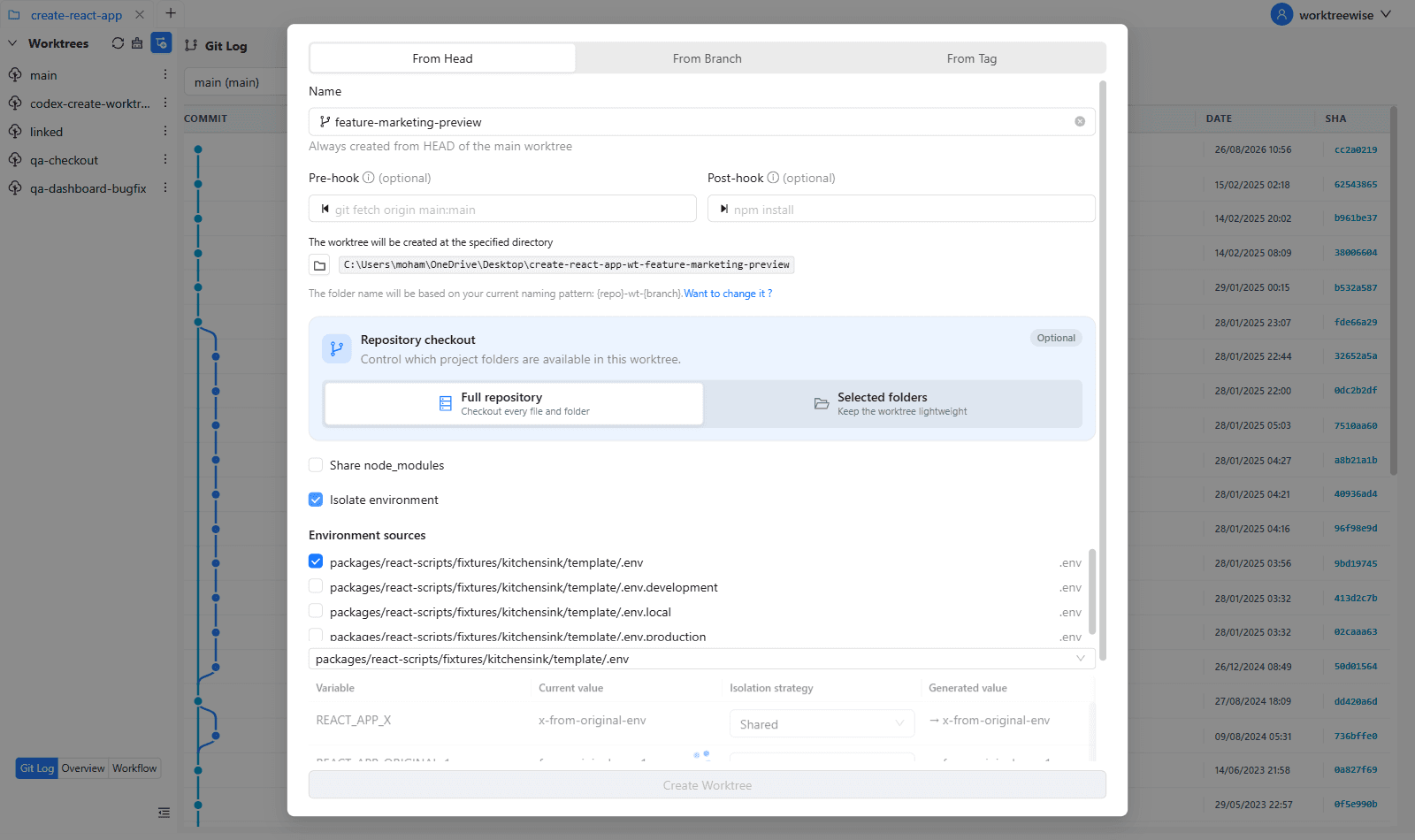
When running multiple worktrees simultaneously, running dev servers often leads to port collisions (e.g. both instances trying to bind to port 3000), or sharing database names that corrupt each other’s test data.
Multi-Source Auto-Detection
WorktreeWise scans your repository for supported environment files:
.env,.env.local,.env.development,.env.test- Docker Compose files and configuration manifests
Variable Isolation Strategies
For each detected environment source, WorktreeWise parses the variables and displays an interactive table:
| Strategy | Behavior | Best Used For |
|---|---|---|
| Shared | Retains the exact variable value from the source file. | Secret API keys, external service URLs |
| Suffix | Appends the worktree/branch identifier to the value. (Disabled for purely numeric values) | Database names (db_name_feature_auth), bucket prefixes, cache keys |
| Auto Port | Automatically scans system network ports and assigns the next available unused port number. (Disabled for non-numeric values) | Dev server ports (PORT, VITE_PORT, NEXT_PUBLIC_PORT, 3001, 3002) |
Security & Preview
- Secret Masking: Sensitive variables (passwords, tokens, credentials) are masked with
********in the preview table. - Generated Value Preview: The table displays a real-time preview arrow (
→ 3002or→ app_wt_auth) showing what will be written to the new worktree’s environment file. - Suggested Commands: WorktreeWise analyzes the environment changes and provides copyable suggested commands (e.g. database migration or seeding commands tailored to the new database name). WorktreeWise never runs destructive migration commands without your manual approval.
- Remember Choices: Check Remember these choices for future worktrees to save your preferred isolation strategies as defaults for subsequent worktree creations.