What’s New in WorktreeWise 1.2.0
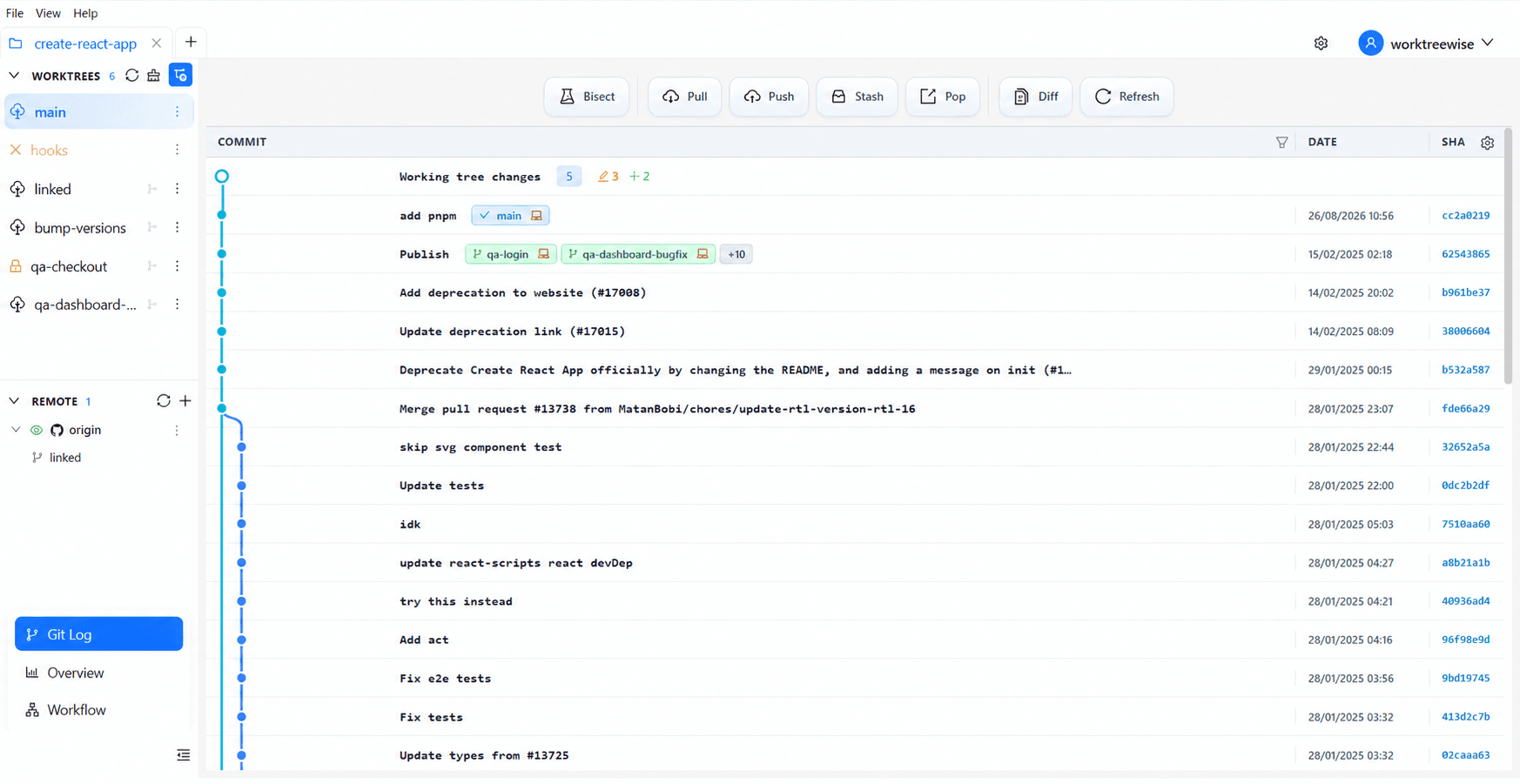
WorktreeWise 1.2.0 turns more day-to-day Git operations into reviewable visual workflows, expands worktree-scoped configuration, and adds new ways to work inside each checkout.
Per-worktree configuration
Add Git configuration that applies only to one worktree. Branch-specific hooks, identity, merge behavior, and tool settings no longer need to change the shared repository configuration.
Git history actions
- Search commits directly in the Git log before acting on history.
- Cherry-pick a selected commit into the active worktree.
- Reset a branch to a selected commit with an explicit soft, mixed, or hard mode.
- Revert a commit while preserving published history.
- Merge another worktree branch after reviewing the source and destination.
- Rebase a worktree onto another branch, resolve conflicts file by file, then continue or abort inside WorktreeWise.
- Bisect a regression manually or with an automated verification command, then restore the worktree when the first bad commit is found.
Files and browser beside the work
Open the worktree file explorer or an embedded browser without leaving the workspace. Each pane remains associated with the worktree whose files or application you are inspecting.
Shared Python virtual environments
New Python worktrees can link an existing valid .venv, avoiding another full environment installation when branches share compatible Python and dependency requirements.
More deliberate AI-agent sessions
The AI-agent launcher now shows the detected CLI version and exposes supported model and reasoning-effort controls before starting a session. The workspace can combine agent output, a normal terminal, files, and an embedded browser while keeping each pane attached to its worktree.
SSH and integrations
- Configure a local SSH agent, key files, Git Credential Manager, and connection testing from Settings → SSH.
- Configure supported Git hosting providers in Settings → Integrations, including custom hosts for self-hosted services.
Safety notes
History-changing actions remain confirmation-based. Review the selected worktree, source branch or commit, and displayed strategy before continuing. Commit or stash unrelated changes first when Git reports that the worktree is not ready for the requested operation.