Find a Regression with Git Bisect
Git bisect performs a binary search through commit history. Instead of checking every revision between a known working build and a broken build, WorktreeWise checks out progressively smaller midpoint ranges until Git identifies the first bad commit.
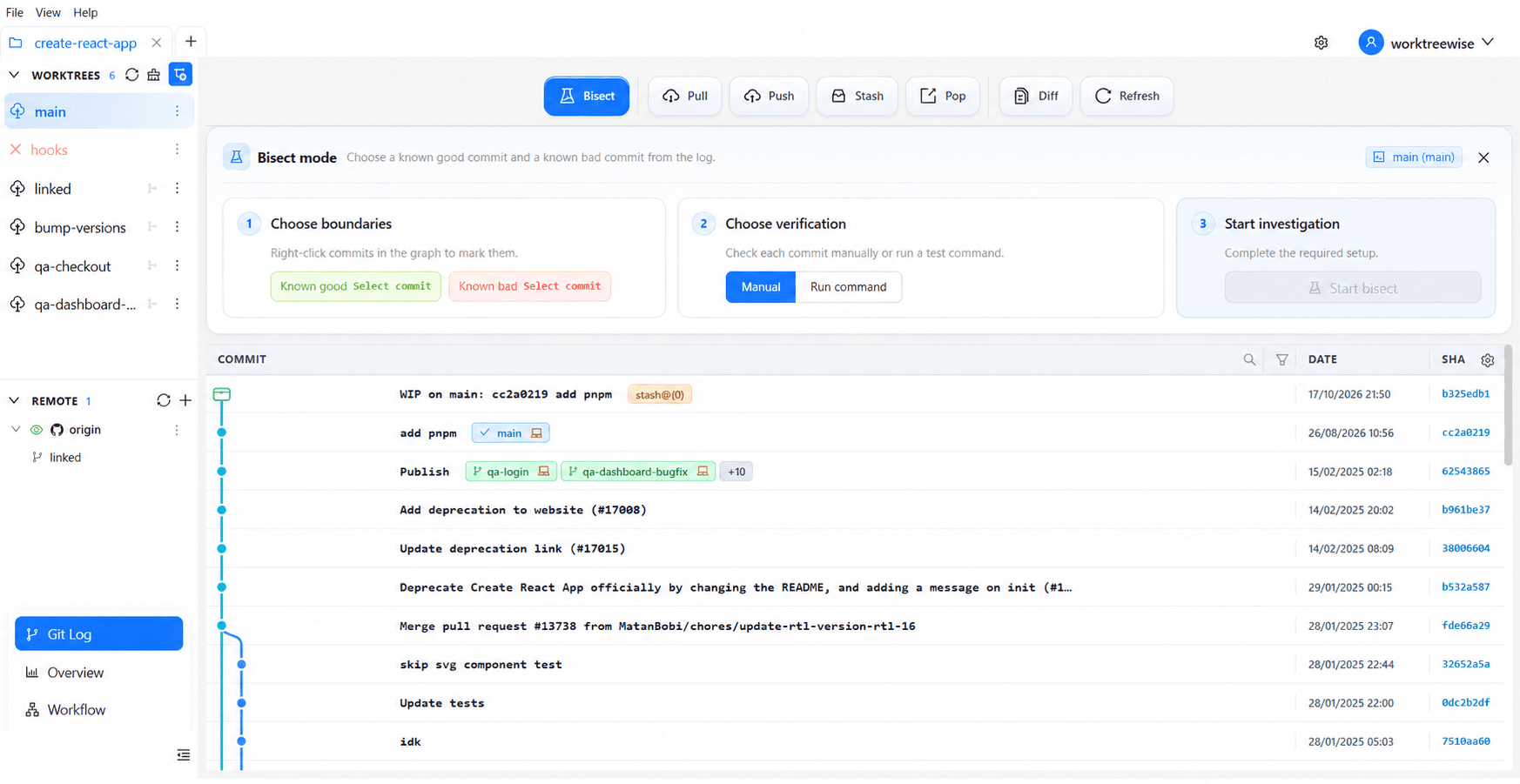
Start a bisect session
Select a worktree
Open Git Log, select the worktree whose history contains the regression, and choose Bisect. The worktree must be clean; commit or stash its changes before starting.
Choose the boundaries
Mark one commit as Known good and one later commit as Known bad. Right-click a commit in the graph and choose the matching bisect action. The two boundaries cannot be the same commit.
Choose verification
- Manual: Build or inspect the checked-out revision yourself, then select Good, Bad, or Skip.
- Run command: Enter a non-interactive verification command such as
npm test,pytest, orcargo test. Exit code0marks the revision good, exit code125skips it, and any other exit code marks it bad.
Start the investigation
Select Start bisect. WorktreeWise starts Git bisect, highlights the revision currently under test, and prevents changing the selected worktree until the session ends.
Review and finish
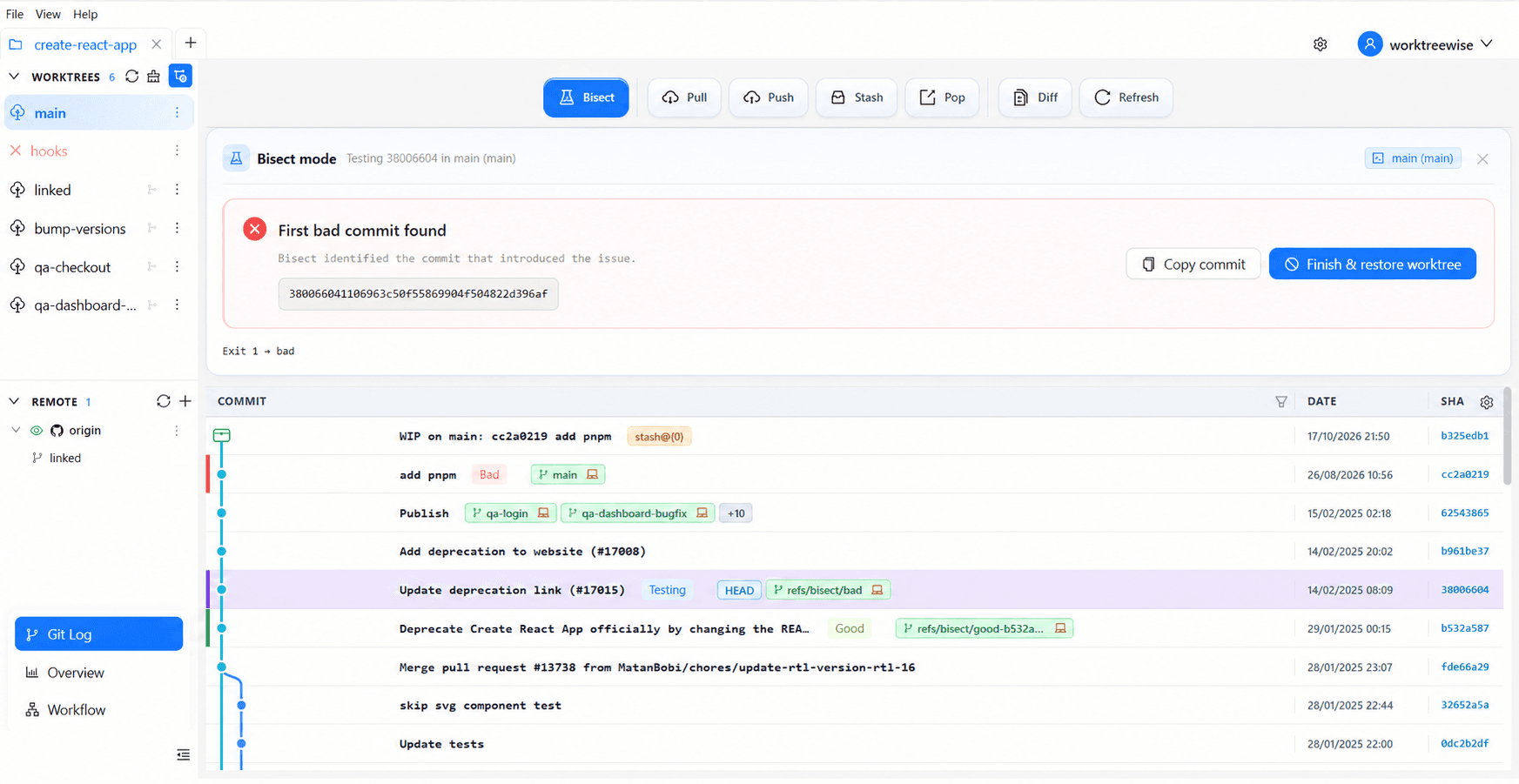
When the search completes, WorktreeWise displays the first bad commit. Use Copy commit to copy its SHA, then select Finish & restore worktree. This runs Git’s bisect reset operation and restores the worktree to the branch and revision that were active before the investigation.
Bisect checks out historical commits in the selected worktree. Do not edit unrelated files during the session. If a revision cannot be tested, mark it Skip rather than guessing.